
Download 3D Sound Player – 3D audio, immersive music, spatial sound, Android app, music player, audio enhancement, surround sound, sound depth, music experience, music listening
Overview
The 3D Sound Player is an Android-based multimedia application designed to transform the way users experience music through spatial audio technology. Developed by Puri Choi, this free tool aims to deliver an immersive listening environment by simulating depth and dimension in stereo audio. The core concept relies on the left and right channel parallax, utilizing a time delay of approximately 0.05 seconds between channels to create a sense of space and directionality.
This approach allows listeners to perceive sound as if it originates from various points around them, enhancing the realism of the audio experience. The app is intended for music enthusiasts, audiophiles, and casual listeners seeking a more engaging way to enjoy their favorite tracks. It supports playback of local audio files, making it accessible for users who prefer to manage their own music libraries.
Real-world usage scenarios include background listening during relaxation, focused work, or immersive entertainment sessions. The application focuses on audio enhancement without requiring additional hardware, making it ideal for users with standard headphones or earbuds. The developer did not provide additional details about the app’s development philosophy or target demographic beyond its core functionality.
Key Features & Capabilities
- 3D Audio Processing – Implements a time delay of roughly 0.05 seconds between left and right audio channels to simulate spatial depth and create a more immersive listening experience.
- Local File Playback – Allows users to access music stored on their device through the "My Files" or "Sound picker" interface, enabling playback of personal audio collections.
- Immersive Sound Simulation – Designed to enhance the perception of sound positioning, making music feel as though it surrounds the listener rather than coming from a single point.
- Audio Enhancement Without Hardware Requirements – Operates using software-based processing, meaning no specialized headphones or external devices are needed to enjoy the 3D effect.
- Free and Lightweight – Available at no cost with a compact installation size of 12.3 MB, making it accessible for users with limited storage space.
These features enable users to experience music in a more dynamic and spatially aware format. For example, a user listening to a live concert recording may perceive individual instruments as coming from different directions, enhancing realism. Similarly, ambient music or nature sounds can feel more enveloping when processed through the 3D effect.
The app’s focus on software-based spatialization means it can be used across a wide range of devices without dependency on proprietary hardware. While specific audio formats supported were not detailed, the app’s ability to process standard stereo files suggests broad compatibility with common music file types. The developer did not specify advanced customization options or equalizer settings, indicating a streamlined, focused approach to audio enhancement.
User Interface, Workflow & Performance
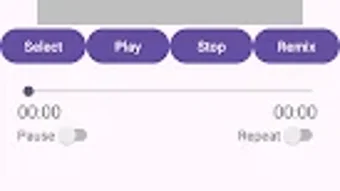
The user interface of the 3D Sound Player appears to prioritize simplicity and direct access to core functionality. Navigation is likely centered around the "My Files" and "Sound picker" features, allowing users to browse and select audio files with minimal steps. The workflow is designed to be intuitive, enabling quick setup and immediate playback once a file is chosen.
Users can expect a minimalistic layout focused on playback controls and the activation of the 3D audio effect. The app’s performance is expected to align with typical Android media playback behavior, with smooth operation under normal conditions. However, exact performance details such as CPU or RAM usage were not specified.
The developer did not provide information on stability under prolonged use or during background playback. General software behavior patterns suggest that the app should maintain responsiveness during playback, but real-world performance may vary based on device capabilities. The application’s lightweight nature (12.3 MB) indicates low system impact, which supports efficient operation on a range of Android devices.
No reports of crashes or bugs were mentioned in the provided information.
Compatibility & System Requirements
The 3D Sound Player is designed for Android operating systems, with a specific version number of 1.1.1. It has an installation size of 12.3 MB, which is considered small and suitable for devices with limited storage. The developer did not specify the minimum Android version required for compatibility, nor did they list hardware requirements such as processor speed or RAM capacity.
Platform compatibility information is limited to the OS designation, meaning users should verify whether their device meets the necessary conditions for app installation. The app is not available for other platforms such as Windows, Mac, or iOS. Users should ensure their Android device supports standard audio playback and file browsing to use the app effectively.
The developer did not provide details about support for specific audio formats or external storage access permissions. Exact system requirements were not listed, so users may need to rely on general Android compatibility standards when installing the application.
Pros and Cons
Pros
- Delivers a unique 3D audio experience using time-delayed stereo processing
- Free to download and use with no in-app purchases
- Compact size (12.3 MB) ideal for devices with limited storage
- No external hardware required—works with standard headphones
- Simple interface focused on direct file access and playback
Cons
- Exact system requirements and minimum Android version not specified
- Limited information on supported audio formats
- No advanced audio customization or equalizer options available
- App is exclusive to Android—no support for other platforms
- Performance behavior under heavy usage or background playback not documented
FAQ Section
Is the 3D Sound Player available for Windows or Mac?
The app is currently only available for Android devices. There is no version for Windows, Mac, or other operating systems.
Is the app safe to download and use?
As a free Android application developed by Puri Choi, the app is designed to function as a music player with audio enhancement. It does not require elevated permissions beyond standard audio and file access. Users should download the app from official sources to ensure security.
Does the app require special headphones to work?
No, the 3D Sound Player uses software-based spatial audio processing and works with standard headphones or earbuds. No specialized audio equipment is needed to experience the 3D effect.
Can I use the app offline?
Yes, the app supports playback of local audio files stored on your device, allowing full functionality without an internet connection.
How often is the app updated?
The latest version is 1.1.1, released on May 23, 2024. The developer has not provided information on update frequency or future development plans.
Final Thoughts + CTA
The 3D Sound Player offers a compelling, accessible entry into spatial audio for Android users. By leveraging a simple yet effective time-delay technique between stereo channels, it delivers a perceptible sense of depth and immersion without requiring additional hardware. Its lightweight design and free availability make it a low-risk option for anyone curious about enhanced music listening.
While the app lacks advanced features and detailed technical specifications, its focused approach to audio enhancement suits users who value simplicity and immediate results. It is particularly beneficial for music lovers seeking a fresh perspective on their existing libraries. The absence of system requirements and platform limitations means users should verify compatibility through their device’s app store.
Overall, the 3D Sound Player stands out as a niche but effective tool for audio enrichment. Download 3D Sound Player now to experience a new world of music.





.png)

